


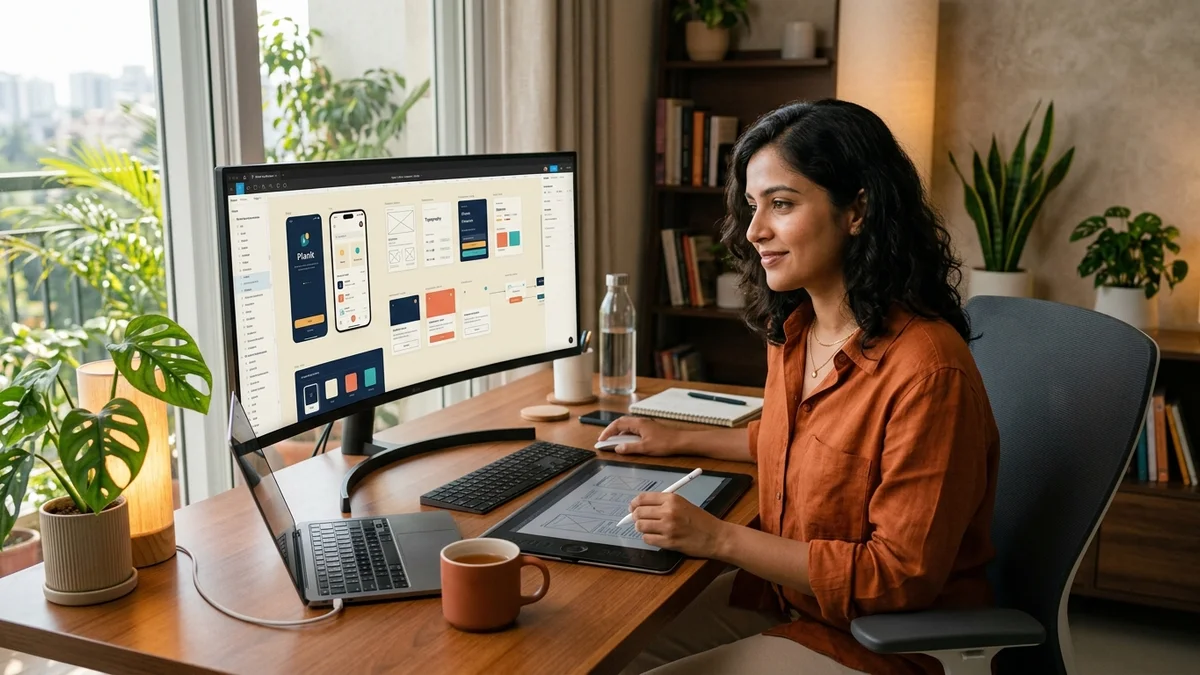
In 2026, technology organizations across the globe have transitioned from treating remote work as a makeshift arrangement to building permanently distributed, global-first product organizations. While engineering teams build scalable backend services and frontend architectures across disparate continents, the usability, aesthetic distinction, and user delight of the product hinge on one pivotal discipline: the remote UI/UX and product designer. In distributed companies where physical whiteboards, shoulder taps, and spontaneous in-person design crits are non-existent, modern tech scale-ups seek design leaders who articulate design rationale with surgical precision, maintain rigorous design systems, and champion user advocacy across continents.
The modern remote design landscape has moved far beyond crafting static mockups or vanity Dribbble shots. Today's global tech scale-ups, fintech innovators, and enterprise SaaS providers evaluate product designers on their ability to conduct asynchronous user research across time zones, architect tokenized design systems in Figma, construct interactive prototypes, and orchestrate frictionless handoffs to distributed frontend engineers. In return, top-tier international employers offer highly competitive compensation packages ($70,000 to $155,000+ USD) that empower talented UI/UX designers around the world to spearhead global product experiences.
Building upon RemoteKraft's career blueprints for remote product manager jobs, remote frontend developer careers, proof-of-work portfolio building, and worldwide remote job location eligibility, this guide delivers an actionable, end-to-end roadmap for landing premier remote UI/UX and product design roles in 2026.
1. Worldwide vs. Regionally Restricted Remote UI/UX Designer Roles
Before launching your international application strategy, it is essential to decode the legal architectures, geographic boundaries, and operational dynamics of global design openings:
- Location-Agnostic (True Worldwide Remote): Leading international tech startups and design-led scale-ups hire designers regardless of citizenship or physical coordinates. Non-local candidates are typically engaged through an Employer of Record (EoR)—such as Deel, Remote.com, or Oyster—which administers statutory local employment benefits, payroll taxes, and health coverage, or via direct B2B independent contractor agreements. Understand the trade-offs in our guide to remote employee versus contractor models.
- Time Zone Overlap and User Research Realities: Unlike autonomous backend developers who can code in complete isolation, remote product designers must frequently collaborate with product managers, conduct usability interviews with customers across the Americas or Europe, and participate in design system governance. High-performing distributed designers establish 2 to 4 hours of predictable daily synchronous overlap with primary engineering hubs, relying on structured async documentation for the remainder of their workday. Review our proven frameworks on asynchronous remote collaboration and managing time zones in remote work.
- Visibility Through Written Rationale & Async Critiques: In a distributed team, your design effectiveness is measured by the clarity of your documentation, decision logs, and prototype walkthroughs. Top remote designers present their thinking through structured Loom walkthroughs and annotated Figma canvases rather than scheduling recurring status calls.
- Safeguarding Against Remote Design Scams: Design and creative positions are common targets for fraudulent actors who pose as design agencies, assigning unpaid spec work under the guise of take-home tests or sending fake checks for home office hardware. Legitimate international employers will never demand upfront fees or request you to buy hardware from unverified vendors. Protect yourself with our guide to spotting and avoiding remote job scams.
To bypass deceptive job boards and focus exclusively on pre-screened openings, browse RemoteKraft's verified remote UI/UX designer jobs, where every role is screened for verified company credentials, authentic compensation, and worldwide eligibility.
2. The 2026 Remote UI/UX Design Matrix & Modern Tool Stack
Excellence in distributed product design demands fluency across design systems, user intelligence, rapid prototyping, and engineering handoff. The table below outlines the five fundamental pillars, primary software platforms, core deliverables, and expected portfolio artifacts evaluated by international design hiring managers:
| Design Pillar | Standard Tools & Platforms | Core Operational Responsibilities | Expected Portfolio Artifact |
|---|---|---|---|
| Design Systems & Token Architecture | Figma (Variables, Auto-layout, Component Properties), Tokens Studio, Storybook, Zeroheight | Architecting scalable, accessible multi-brand component libraries; managing semantic design tokens (color, typography, spacing, elevation); synchronizing design tokens with frontend repositories. | A published, interactive Figma community file or public showcase detailing semantic color tokens, responsive component variants, state matrices, and WCAG contrast documentation. |
| User Research & Usability Insights | Dovetail, UserTesting, Maze, Sprig, Lyssna, Hotjar | Formulating user research plans, conducting asynchronous and live usability tests, synthesizing qualitative insights into affinity diagrams, mapping customer journeys, and prioritizing pain points. | A comprehensive research repository in Dovetail or Notion with tagged user session clips, usability task success metrics, System Usability Scale (SUS) scores, and prioritized design recommendations. |
| Interactive Prototyping & Motion | ProtoPie, Rive, Framer, Figma Smart Animate | Constructing high-fidelity, logic-driven micro-interactions, dynamic multi-state inputs, complex conditional flows, and micro-animations that communicate intended interaction feel to developers. | An interactive ProtoPie or Framer web prototype demonstrating conditional logic, realistic error handling states, tactile feedback, and realistic gesture-based mobile transitions. |
| Design-to-Code Handoff & Dev Collaboration | Figma Dev Mode, GitHub, Linear, Zeplin | Documenting responsive breakpoints, layout specs, API data states (empty, loading, error, partial), and edge-case handling; conducting visual QA audits alongside frontend engineers. | An annotated Figma handoff canvas featuring complete component redlines, accessibility tree specs, error boundary behaviors, and explicit CSS/React component mappings. |
| Async Collaboration & Critique | Loom, FigJam, Miro, Notion, Slack / Slack Connect | Recording asynchronous video design walkthroughs, structuring FigJam brainstorming workshops, maintaining Design RFCs, and moderating asynchronous critique threads. | A recorded 5-minute Loom design walkthrough alongside a structured Design Decision Document (RFC) outlining problem framing, user constraints, trade-offs, and stakeholder resolution. |
3. Building a Proof-of-Work Remote Design Portfolio That Converts
In international hiring loops, static screenshots and generic mockups fail to impress seasoned design directors. Distributed hiring teams need to inspect your design thinking, analytical rigor, and collaborative execution. Rather than showcasing five superficial redesigns, focus on two in-depth, end-to-end case studies formatted as interactive proof-of-work web pages:
Case Study 1: Enterprise SaaS Workflow Redesign with Tokenized Design System
Demonstrate your ability to navigate complex business workflows, enterprise data density, and scalable UI architecture:
- Business Context & Objective: Frame the underlying business problem (e.g., reducing time-to-value in an analytics dashboard, streamlining B2B invoice reconciliation, or simplifying cloud permission management). State the explicit North Star product metric and target usability outcomes.
- Discovery & User Friction Mapping: Detail how you gathered user feedback across distributed customer cohorts. Include customer quotes, journey maps, and heuristic teardowns highlighting cognitive overload and task failure points.
- Design System Integration: Illustrate how you leveraged or expanded the existing design system. Showcase tokenized typography scales, semantic color palettes adhering to WCAG 2.2 AA accessibility standards, and responsive data table components with interactive filter chips.
- Engineering Collaboration & Edge Cases: Highlight how you documented edge cases (e.g., 10,000+ data rows, sluggish API responses, network disconnects, permission-restricted states) and collaborated with frontend engineers to guarantee technical feasibility. Read our related guide on remote frontend developer workflows.
- Quantified Business & User Impact: Conclude with measurable before-and-after results (e.g., 34% reduction in task completion duration, 22% increase in weekly active feature usage, and a 40% reduction in support ticket volume).
Case Study 2: Cross-Platform Onboarding Flow Optimization with A/B Usability Validation
Showcase deep customer empathy, behavioral UX psychology, and data-driven product experimentation:
- Funnel Analysis & Drop-off Identification: Present quantitative funnel data showing where users abandoned the initial signup and activation sequence. Correlate quantitative data with qualitative heatmaps and session recordings.
- Hypothesis & Variant Architecture: Formulate clear design hypotheses. Detail why specific cognitive biases (such as progressive disclosure, social proof, and default choices) were employed to minimize friction.
- Interactive Usability Testing: Conduct unmoderated remote usability testing using Maze or Sprig across a diverse international user cohort. Document completion rates, misclick percentages, and user sentiment.
- Rollout & Post-Launch Telemetry: Detail the experimentation rollout using feature flags, highlighting metric changes in activation rate, 30-day retention, and organic customer referral velocity.
For more strategies on structuring case study evidence, review RemoteKraft's guide on building a remote work portfolio and tackling remote take-home design assignments.
4. Mastering the Asynchronous Remote Design Critique Loop
In distributed tech teams, design critiques rarely take place in real-time boardroom meetings. Instead, high-velocity teams rely on asynchronous critique cycles. To thrive as an international remote designer, master these three async feedback habits:
- The 5-Minute Loom Walkthrough: Whenever you request feedback on a major design milestone, record a concise 3-to-5 minute Loom video. Structure the video in five clear beats: (1) Problem statement and user objective, (2) Key user flows and primary interactions, (3) Alternatives and trade-offs evaluated, (4) Explicit areas where feedback is requested (e.g., flow logic, copy clarity, micro-interactions), and (5) Non-goals not currently open for critique.
- Figma Canvas Etiquette & Frame Hygiene: Keep your Figma workspaces meticulously organized. Use prominent status badges (Drafting, In Review, Ready for Dev, Archived), clean component naming conventions, explicit frame sequences numbered 1 to N, and visual sticky notes highlighting open questions. Distributed stakeholders should never have to wander through a chaotic canvas to guess which artboard is current.
- Design RFCs (Request for Comments): For high-stakes architectural changes or radical UX redesigns, draft a lightweight 2-page Design RFC in Notion or Coda. Document user research findings, data telemetry, technical constraints, accessibility audits, and alternative approaches. Provide a 48-hour comment window for product managers, engineering leads, and business stakeholders to leave focused feedback.
5. Cracking the 2026 Remote UI/UX Design Interview Loop
International hiring processes for remote UI/UX designers are rigorous, evaluating both visual craftsmanship and communication maturity. Prepare thoroughly across the four standard stages:
- Initial Screening (Recruiter & Design Lead): A 30-minute conversation focused on your design philosophy, experience collaborating asynchronously across time zones, familiarity with modern design system workflows, and expectations regarding compensation and remote work setup.
- Past Work Portfolio Presentation: A deep-dive 45-to-60 minute session where you present one or two flagship case studies. Emphasize your problem-solving framework, your handling of cross-functional friction, trade-offs made under tight constraints, and the tangible business impact of your designs. Prepare for this using our remote job video interview preparation playbook.
- Live App Critique or Whiteboard Challenge: You will be invited to critique a familiar digital application (e.g., Airbnb, Spotify, Linear) or brainstorm a solution to a hypothetical product problem on FigJam. Interviewers assess your ability to break down complex user problems, identify UX heuristics violations, structure user personas, and communicate trade-offs in real time.
- Cross-Functional & Culture Alignment: Discussions with engineering leads, product managers, and executive leadership to evaluate your developer empathy, responsiveness to constructive criticism, and alignment with company operating values.
6. Global Compensation Benchmarks & Offer Negotiation for Remote Designers
International remote designers command attractive compensation packages when negotiating with distributed tech employers. Below are typical 2026 worldwide remote compensation ranges for full-time UI/UX and product design roles:
- Mid-Level UI/UX Designer: $70,000 – $100,000 USD base annual salary (or $35 – $55 USD/hour for contract engagements), plus equipment stipend, home office allowance, and professional development budgets.
- Senior Product Designer: $100,000 – $135,000 USD base annual salary (or $55 – $80 USD/hour), often accompanied by equity stock options (ISOs/NSOs) or performance bonuses.
- Staff / Lead Product Designer / Design Systems Lead: $135,000 – $165,000+ USD base annual salary, leadership equity grants, and comprehensive health and wellness coverage.
When reviewing international offers, negotiate comprehensively beyond base pay. Secure provisions such as annual technology stipends (MacBook Pro, 4K monitors, ergonomic seating, drawing tablets), subscriptions to professional tooling (Figma, ProtoPie, Mobbin, Midjourney), co-working space stipends, and flexible paid time off (PTO). Follow our comprehensive guide to worldwide remote salary negotiation to maximize your total rewards package.
Frequently Asked Questions (FAQs)
Can I land an international remote UI/UX designer job if I am transitioning from graphic design, frontend development, or QA?
Yes. Many outstanding product designers transitioned from complementary disciplines. Graphic designers bring exceptional typographic and visual hierarchy skills; frontend developers possess deep technical empathy and DOM architecture awareness; and QA engineers bring unmatched attention to edge cases and user flows. To transition successfully, build two real-world product case studies demonstrating user research, information architecture, and measurable usability outcomes.
Do remote UI/UX designers need to know how to code in 2026?
You do not need to write production backend code or complex algorithms, but understanding modern HTML5, CSS3, CSS Flexbox/Grid, and component-based frontend frameworks (like React, Tailwind CSS, and Vue) is a significant competitive advantage. Designers who understand technical constraints design cleaner component states, communicate effortlessly with developers, and avoid proposing technically unfeasible patterns.
How do remote product designers conduct user interviews across different continents?
High-performing remote designers use a balanced blend of synchronous and asynchronous discovery. For high-touch qualitative interviews, they schedule 30-minute sessions during overlapping morning or evening windows. For broader quantitative validation, they deploy unmoderated testing tools like Maze, Sprig, and UserTesting to gather screen recordings and usability metrics while they sleep.
What is the best platform to host a remote UI/UX design portfolio?
While Figma slides or Notion pages can work for initial screenings, having a custom-built or Framer/Webflow-hosted personal website with a clean custom domain conveys senior professional polish. Ensure your portfolio loads rapidly, looks flawless on mobile devices, and features scannable summaries alongside deep-dive case studies.
Where can I find verified, legitimate remote UI/UX and product designer jobs?
You can discover authentic, pre-screened worldwide design openings on RemoteKraft's remote UI/UX designer job board, where every opening is thoroughly vetted for legitimate company credentials, transparent compensation, and verified worldwide remote flexibility.
Conclusion: Elevate Your Global Product Design Career
The transition to globally distributed technology organizations has unlocked remarkable opportunities for UI/UX and product designers worldwide. By mastering tokenized Figma design systems, leading asynchronous critiques with clarity, packaging your proof-of-work into compelling case studies, and understanding the economics of international compensation, you can establish yourself as an indispensable global design leader.
Take the next step in your distributed design journey: explore verified openings on RemoteKraft's remote UI/UX job board, create an ATS-optimized design resume using our free online resume builder, and design digital experiences that impact users across the globe.




.png)
